Some pages will be visible
only to subscribers or members

Make selected website content available only to registered users. This makes it easy to create a members-only section or an online course. No plugins and no coding.

User accounts are available with all plans.

your-name.com/for-members/lesson-4
Lesson 4: Basics of Composition
video lesson

This page is for members only

Sign in using the e-⁠mail address you registered with.

What it is useful for

Four situations where sign-in pays off

Courses

Online course

Lessons, videos, and materials are only visible to those who have paid for the course. Add new lessons as the course progresses.

Associations

Club and association

Meeting minutes, membership fees, and private photo galleries. The public part of the website remains open to everyone.

B2B

Wholesale

Wholesale price lists and catalogs available only to verified customers. Your competitors cannot access them.

Marketing

Content in exchange for registration

Offer a guide or e-⁠book in exchange for an e-⁠mail address. At the same time, you build your contact database.

Process

How it works

01

Lock a page

For any page, section, or photo gallery, select the option to make it available only to registered users.

02

The visitor registers

Using a form directly on your website. You choose what information you want from them.

03

Approve access

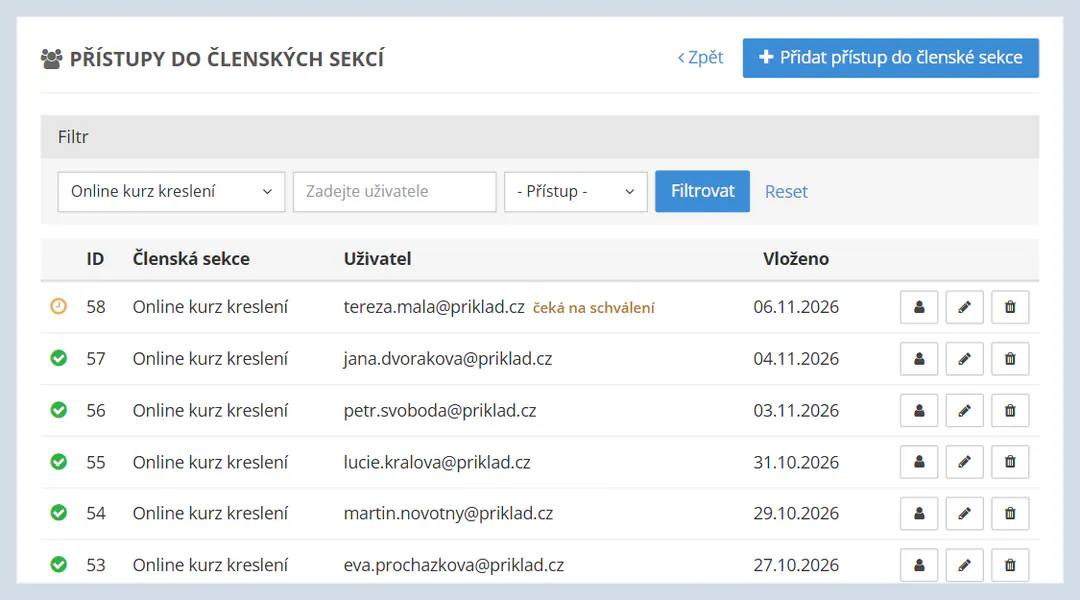
Manually or automatically. You can view all registered users in the administration panel.
What can be locked

The public section remains
open to everyone

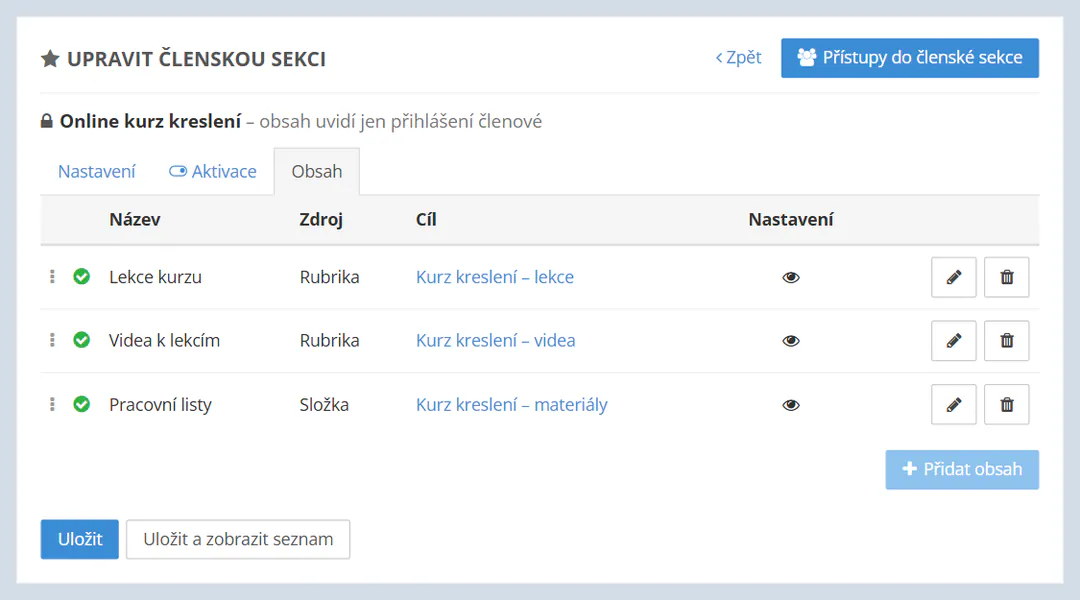
You lock individual content, not the entire website. News and contact details remain available to everyone, while lessons, meeting minutes, or price lists are visible only to signed-in users.

Do you sell a course through an e-⁠shop? List the course as a product and provide its materials as registered-user content. E-⁠shop features →
Website structureVisibility
  • NewsSectionpublic
  • About the coursePagepublic
  • Lessons 1–8Sectionregistered users
  • WorksheetsFile folderregistered users
Frequently asked questions

Members-only sections: questions and answers

According to the price list, user accounts are available with all plans, including the free Mini plan. The only difference is in the content limits: how many articles, files, and photo galleries you can have.
Content for registered users is not accessible without signing in, so it will not appear in search results either.
The option to display content only to registered users can be configured for selected types of content, not just standard pages. You can find the specific options in the help section.
Yes, this is one of the most common uses. You add lessons gradually, and participants can access them after signing in.

Try locking your first page

You can try it with no commitment. The Mini plan is free forever.

Create a website for free